"He signed for me, I was just late."
Buddy punching
Each person punches from their own phone, at the workplace, with an optional selfie. Fake-location apps are refused.
For shops, factories, offices and textile units
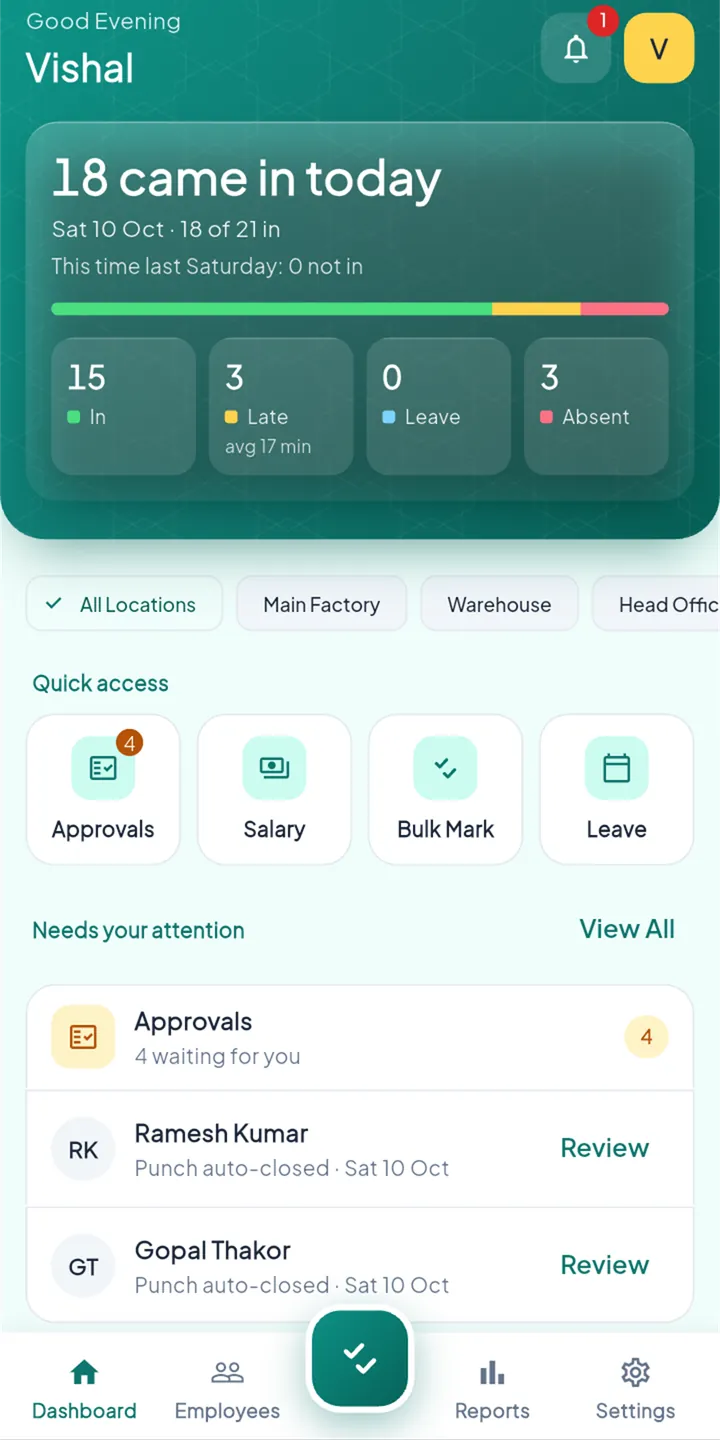
Your staff punch in at the workplace from their own phone. You see who came in, approve leave, and pay salary at month end from the same records. No register, no arguments over which days were worked.
Why StaffBee
A paper register asks everyone to trust everyone's handwriting. StaffBee keeps one record of each day that the owner and the employee both see.
"He signed for me, I was just late."
Each person punches from their own phone, at the workplace, with an optional selfie. Fake-location apps are refused.
"I came that Sunday, check again."
Every day has a record. A correction shows who made it and when, so month end is the record, not memory against memory.
"Where did the October register go?"
Registers get wet, torn and lost. StaffBee keeps the records on the server and exports them to PDF or Excel whenever you need them.
Features
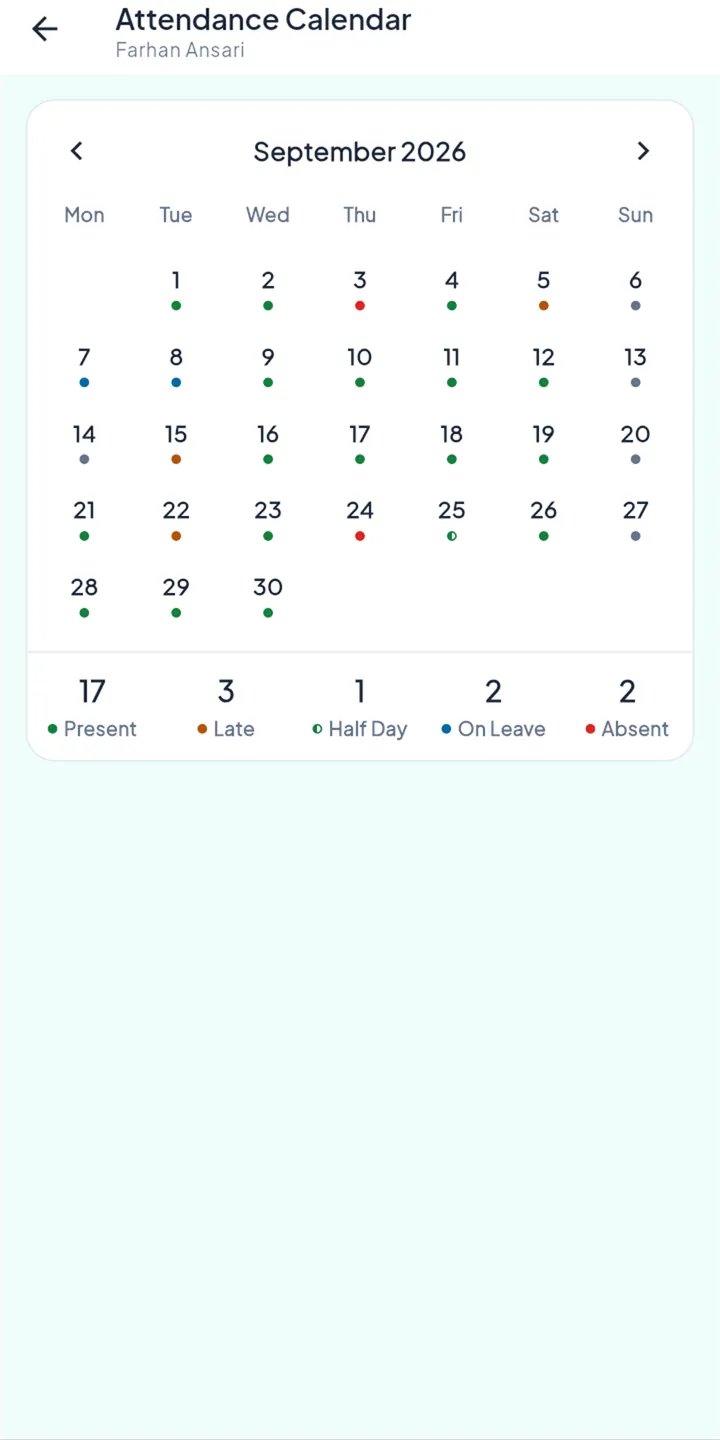
The owner sees everything. Everyone else sees what their job needs, and the owner can change what each role is allowed to do.
Set up your locations on the map, your shifts and your rules once. After that, StaffBee does the counting.
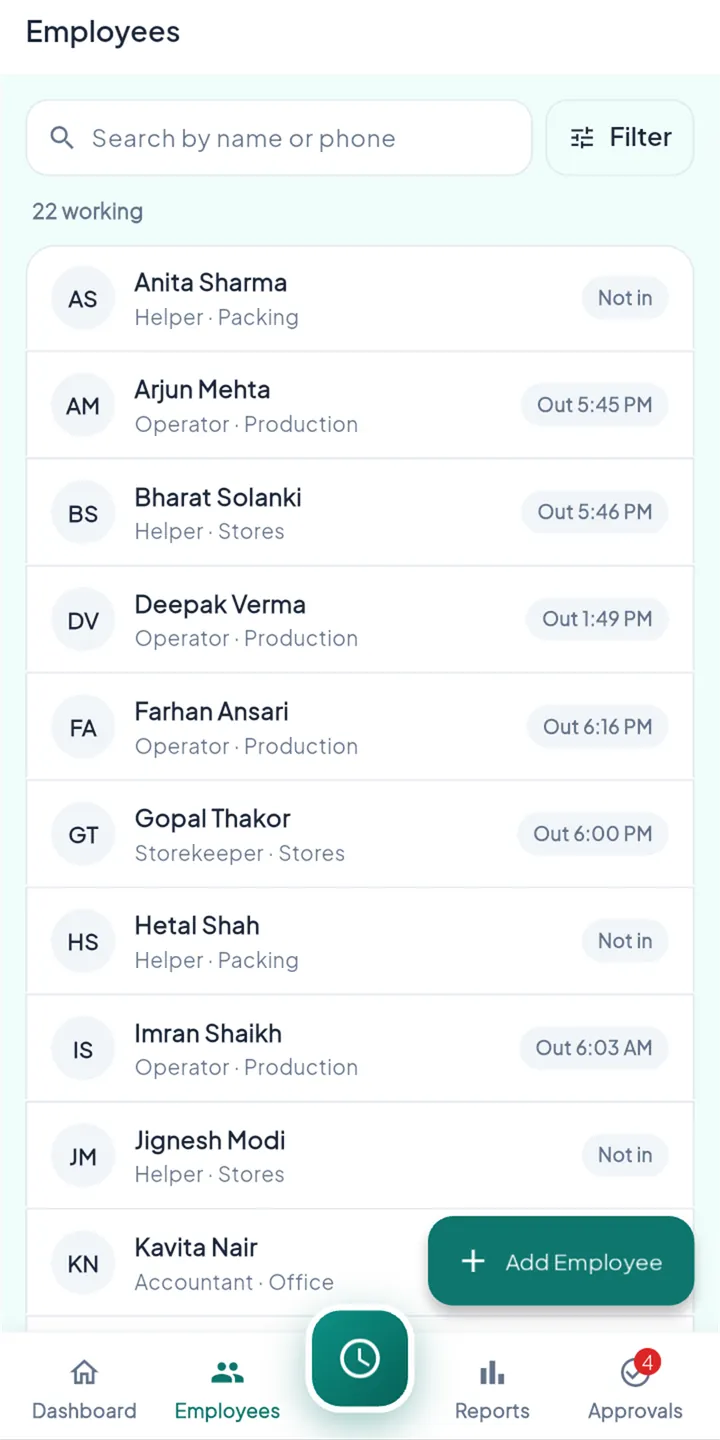
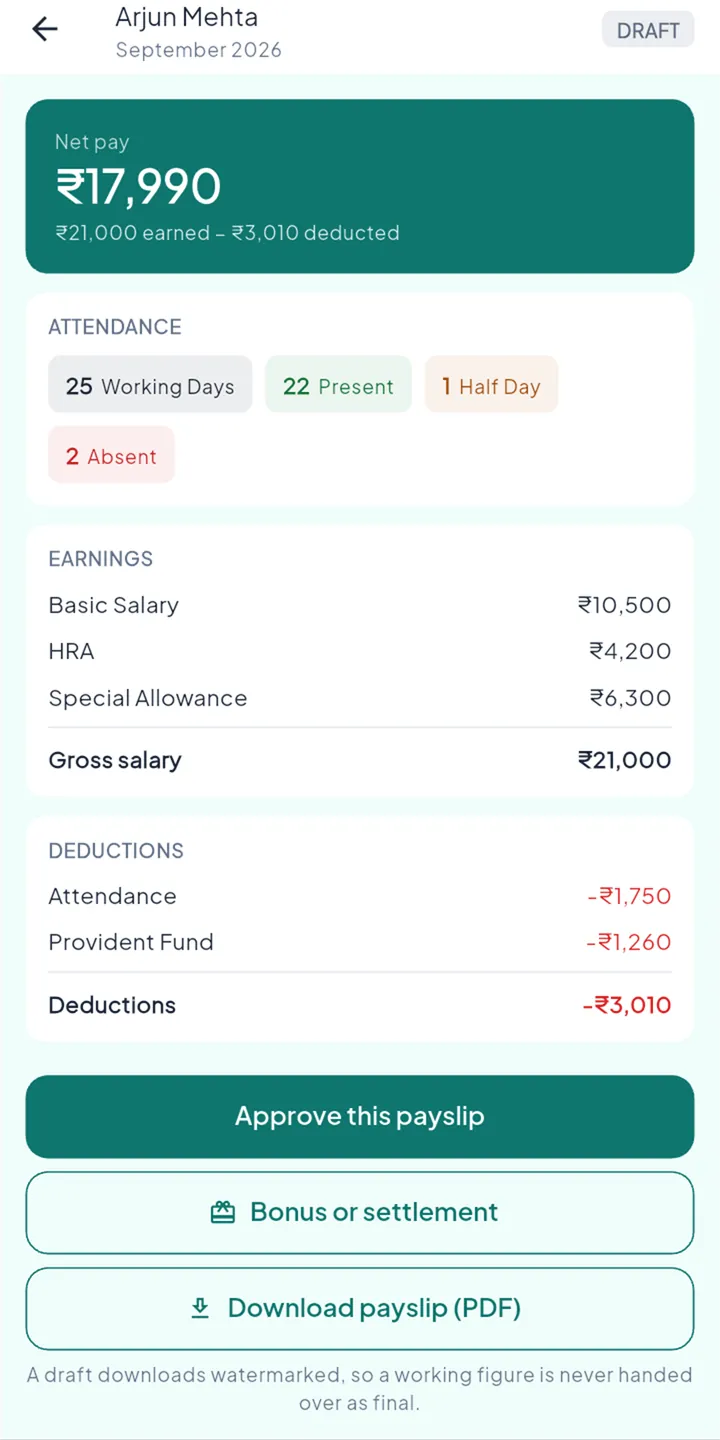
Month-end figures come from the attendance that was actually recorded, not from someone retyping a register.
HR and managers take leave in the app too. Their own attendance is not tracked and they are not on the payroll.
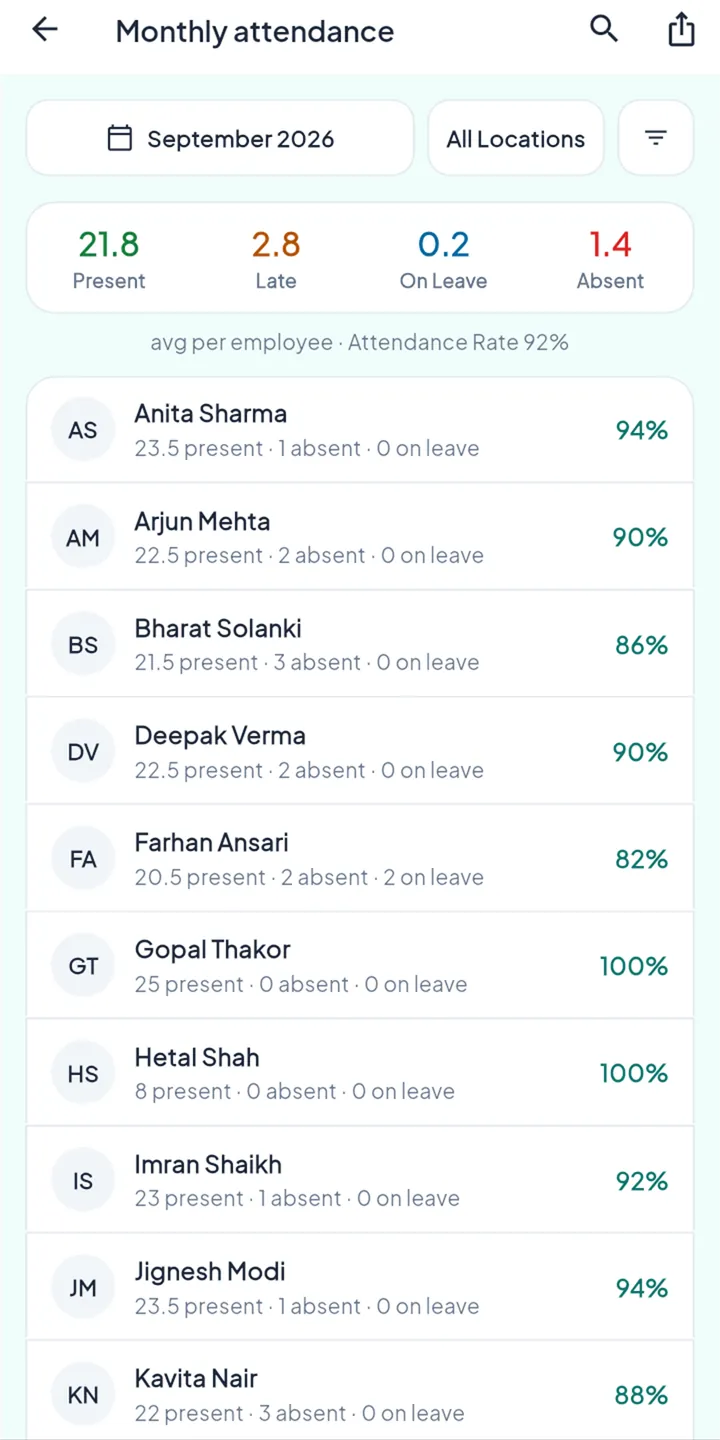
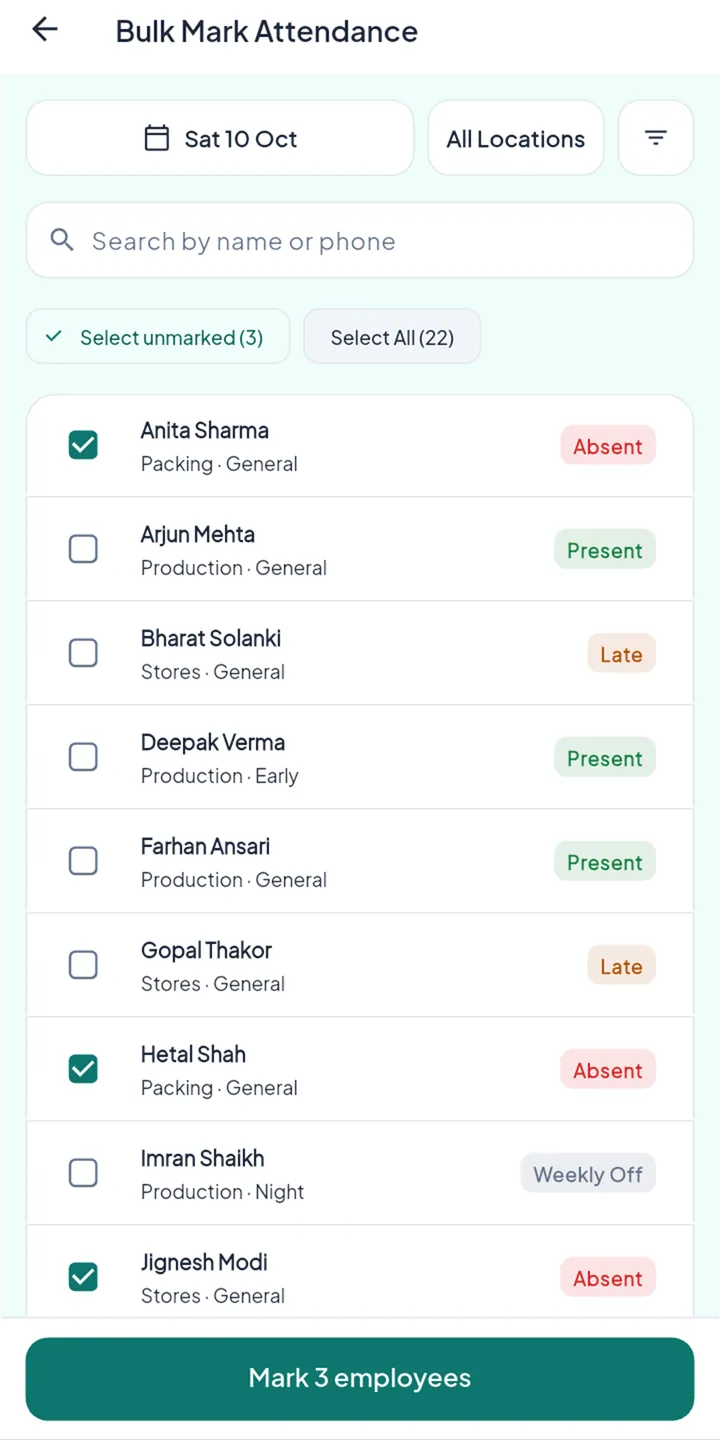
For teams without smartphones, or for a day when the network was down, a supervisor marks attendance in bulk.
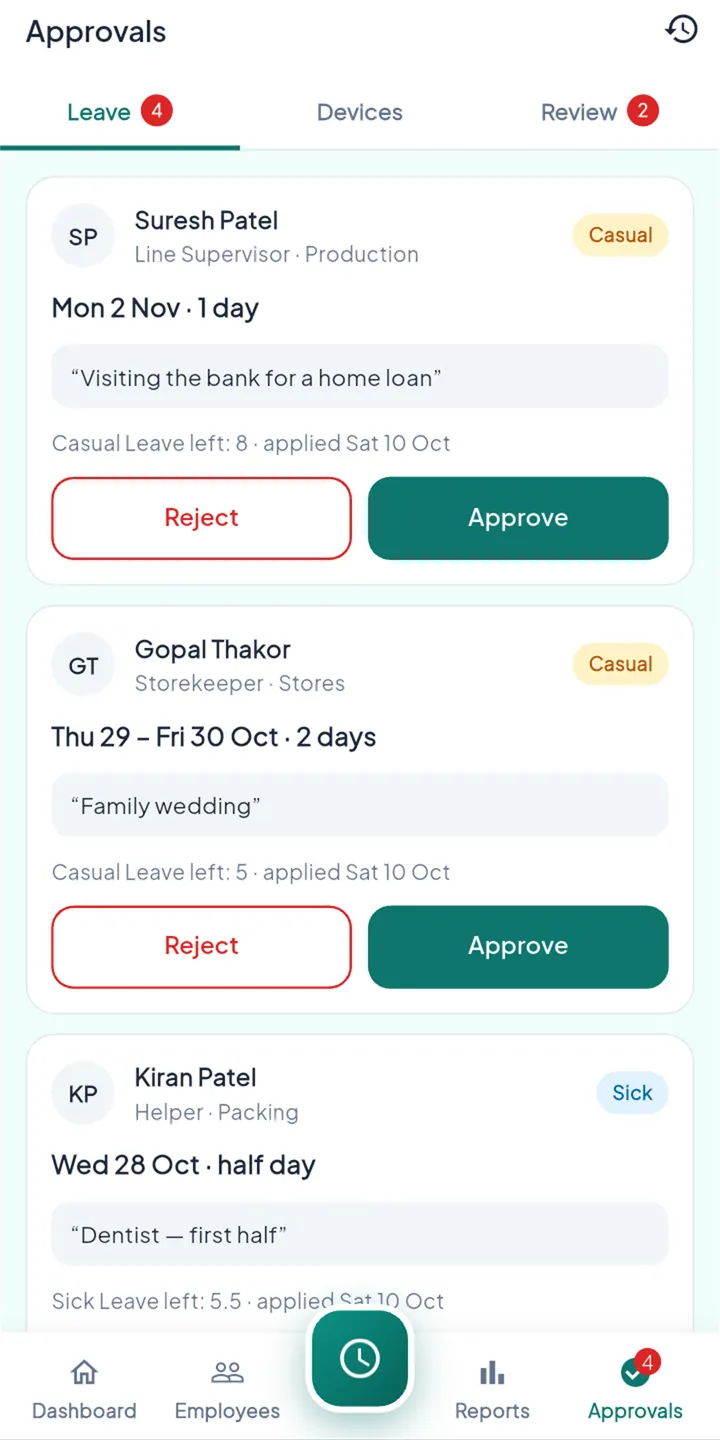
If you can use WhatsApp, you can use StaffBee. No training, no password: staff sign in with the Google account already on their phone.
How it works
Put your workplaces on the map and set the radius (50 to 500 m), then add your shifts, weekly offs, holidays and leave types.
Add each person by name and mobile number. StaffBee opens WhatsApp with their one-time invite ready to send, or you can show a QR code.
They open the app, check they're at the workplace, and punch. A selfie is added if you've turned that on.
StaffBee works out pay from the month's attendance. You check it, approve it, mark it paid, and payslips go to staff.
Trust and privacy
StaffBee records the moment someone starts and ends their working day. It doesn't follow anyone between punches.
The phone's location is read when someone punches, to check they are inside the workplace radius. StaffBee doesn't ask for background location and doesn't track anyone through the day.
Every record belongs to one business, and every request is checked against it. One business can never see another's staff.
A sign-in is tied to a security key kept in the phone's own hardware, so a copied login doesn't work anywhere else. A new phone is flagged for the owner to approve.
You decide what is recorded, such as whether punches need a selfie. We process the data for you, and you can export it to PDF or Excel at any time.
Our servers, database and photo storage are in Mumbai. We don't sell data and the app has no advertising.
Fake-location apps and emulators can't punch, and the server checks the distance again itself. A manual correction never erases the original punch.
The full details, in plain language, are in our privacy policy.
Languages
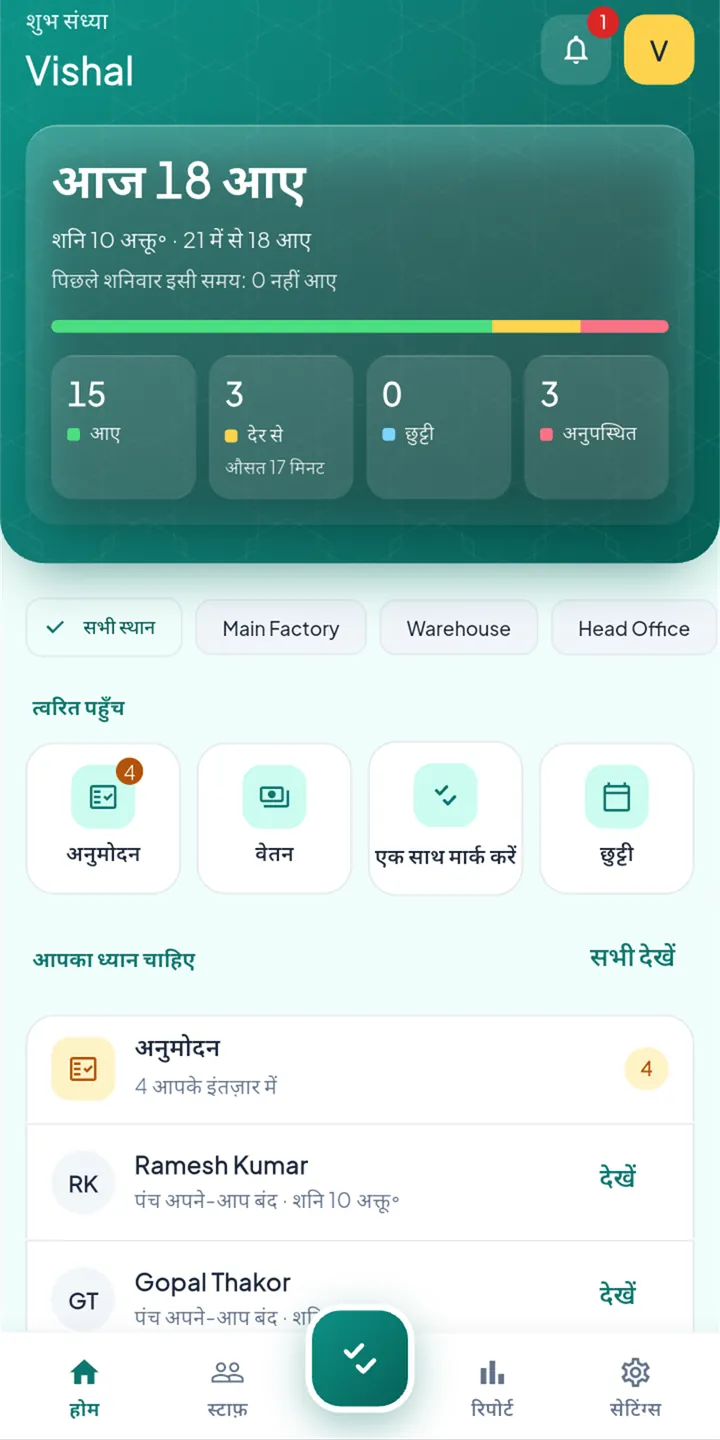
Each person picks their own language, so an owner can work in English while the team sees Hindi, Gujarati or Tamil, all on the same records.
Questions
Some things already do, and we only list what we have tested on real phones:
Punching in and out without signal is built and still being tested. We'll add it here once it has passed. Until then, please punch with a connection. You need internet the first time you sign in.
The owner sets a radius around each workplace, from 50 to 500 metres (100 m to start with). Inside it, the punch goes through. Outside it, the punch isn't accepted, for everyone, with no exceptions. That rule is what keeps the record fair.
If the radius is too tight for your building, the owner can widen it in settings. Fake-location apps are always refused.
They sign in on the new phone with the same Google account. StaffBee flags the new phone for the owner (or a manager or supervisor who is allowed) to approve. Approving it signs the old phone out, so one person is signed in on one phone.
The owner, and by default HR and managers. The owner can take that away. Supervisors never see pay. Each employee sees only their own payslips, and only once they are approved.
StaffBee sends a gentle reminder 30 minutes and 2 hours after the shift ends. If there is still no punch-out, the day closes at the shift's end time and is flagged for the owner to review, so nobody's day is left open.
No password. Staff sign in with the Google account already on their Android phone. The one-time invite you send on WhatsApp (or show as a QR code) links that account to their name in your business. An invite works once and expires after 7 days.
Only if the owner turns them on. When they are on, a small photo is taken at each punch. Only people allowed to view attendance can see it, and it is deleted after 90 days.
Not yet. StaffBee is on Android first, and an iPhone version is planned.
StaffBee is free to use while it is in early access, with no payment details asked for. If we introduce paid plans, we will tell owners at least 30 days before, and nothing is ever charged unless the owner chooses a plan.

Set up your business in a few minutes and invite your staff today.
Get it on Google Play